Stream your master
Use it for Discord calls, OBS recordings, remote feedback sessions and screen sharing when normal desktop capture misses ASIO audio.
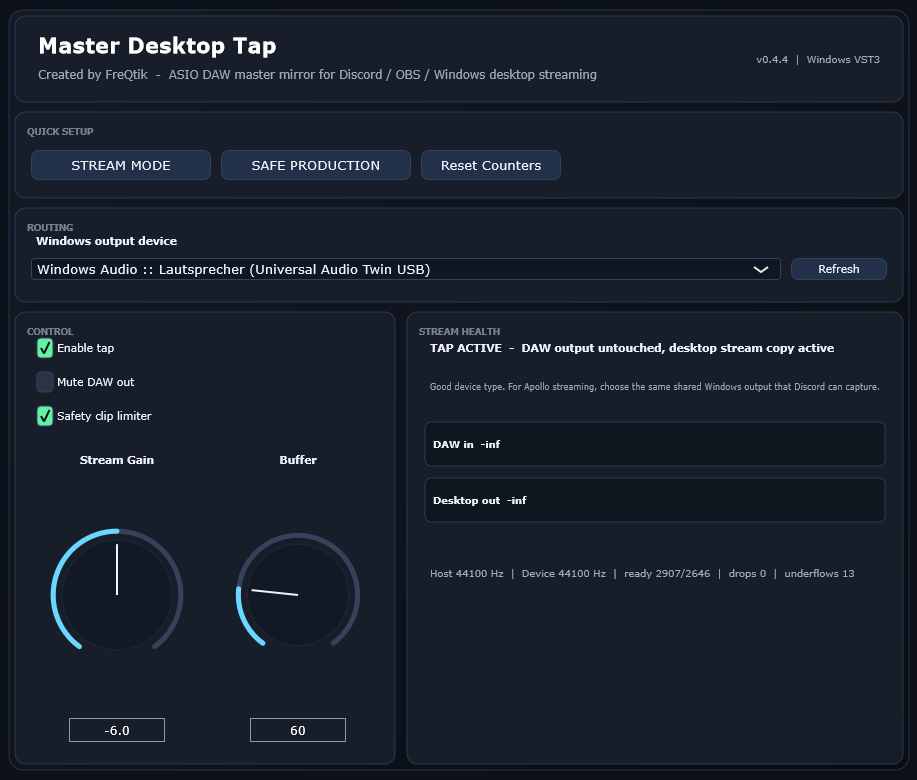
Master Desktop Tap mirrors your DAW master into a selected Windows audio output, so Discord, OBS and screen share can hear your mix without changing your DAW driver.
What it does
Built for Windows producers who can hear their DAW locally, but their call, screen share or recording software receives silence.
Use it for Discord calls, OBS recordings, remote feedback sessions and screen sharing when normal desktop capture misses ASIO audio.
Route a copy to another connected device, monitor, HDMI output, USB interface or small speaker without changing your DAW audio driver.
It is not EQ, saturation, compression, loudness or mastering. It is a routing utility for a specific producer workflow problem.
Signal path
Your DAW can keep using ASIO while the plugin opens one selected Windows output device for the mirrored stream copy.
Choose normal shared Windows Audio when possible. Avoid exclusive mode unless you know exactly why you need it.
Quick setup
Start low, test once, then stream. The plugin is designed for simple routing, not deep configuration.
Copy the included Master Desktop Tap.vst3 into your Windows VST3 folder.
Load it as the last insert on your DAW master or stereo output channel.
Choose the Windows output your stream, virtual mixer or second device can hear.
Start with Stream Gain low, check the listener side, then adjust the level.
FAQ
No. It is a Windows VST3 utility. It was first tested in Cubase, but the concept is DAW-agnostic: insert it on the master of any Windows VST3 host.
Yes. It can mirror your DAW master to another connected Windows output, which makes quick device checks easier.
No. It is not designed to change the sound. It is a utility for routing the DAW master into Windows audio workflows.
No. Use one active instance, normally as the last insert on the master or stereo output.
Download
Free Windows VST3 beta utility by FreQtik. Download, install, test your routing, then stream.