Installation
Download, extract and copy the complete VST3 folder to the Windows VST3 directory.

Choose the VST3 build for your DAW or the Standalone build to run Impulse Anvil outside a host. Both downloads below are the current v1.0.124 release.
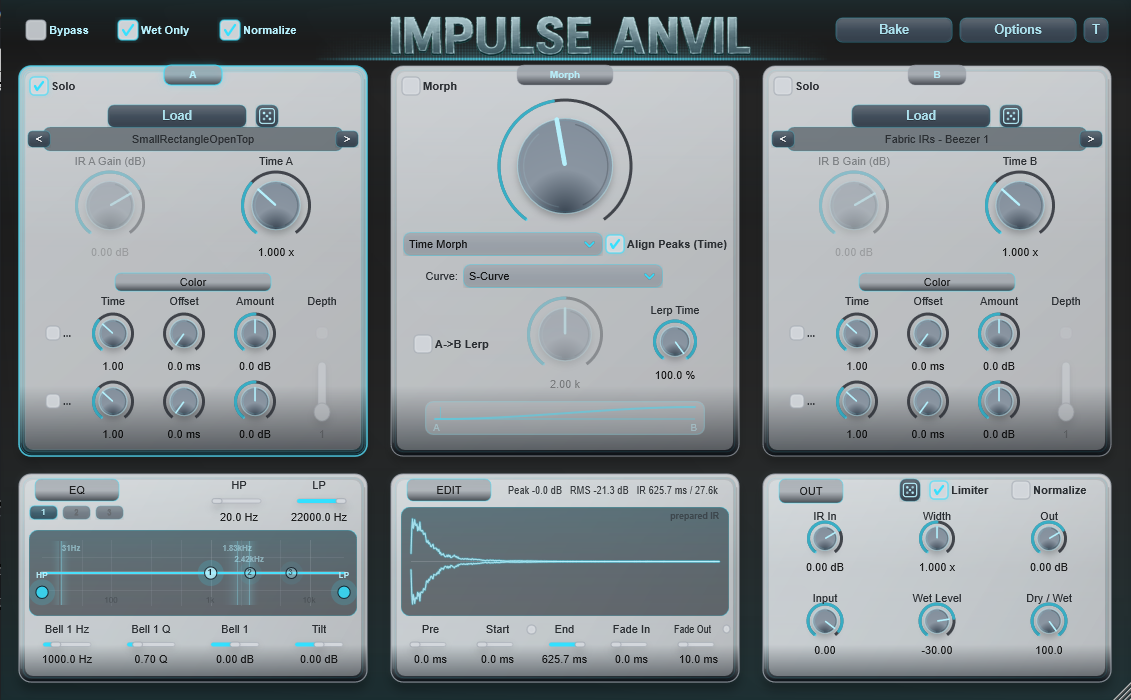
Watch the short setup walkthroughs directly here before opening your DAW.
Download, extract and copy the complete VST3 folder to the Windows VST3 directory.
Paste your license key into the plugin and unlock the full version after purchase.
Open both folders, then copy the full Impulse Anvil.vst3 folder into your system VST3 folder.
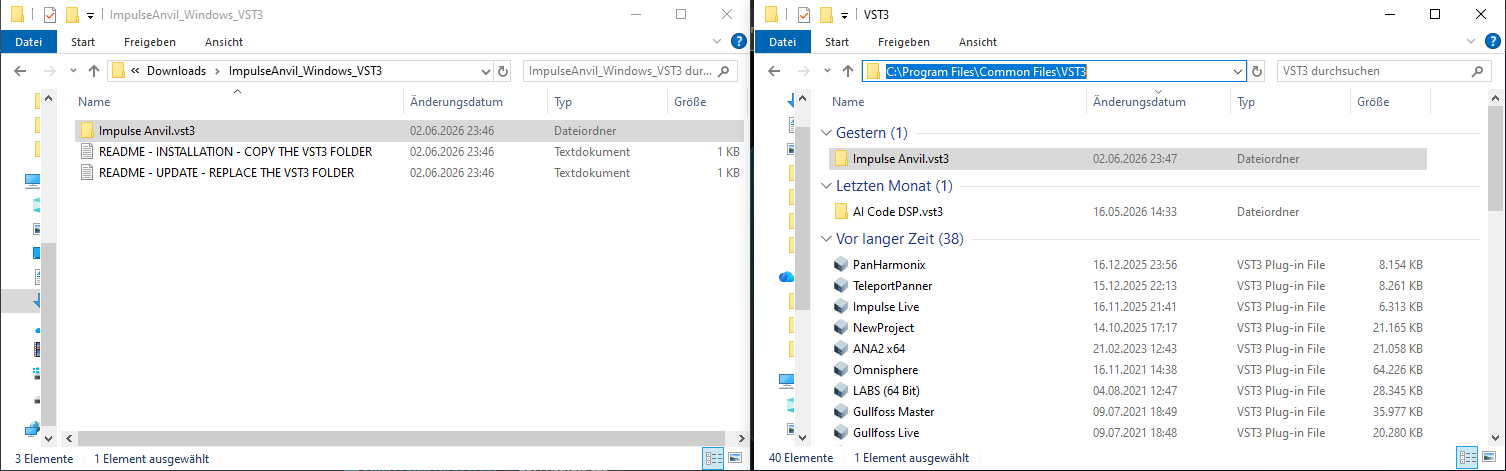
Image guide: left = extracted download folder, right = C:\Program Files\Common Files\VST3.
Unzip ImpulseAnvil_Windows_VST3.zip. Keep the VST3 bundle structure intact.
Copy the complete Impulse Anvil.vst3 folder to C:\Program Files\Common Files\VST3.
Restart or rescan your DAW. The 126 handmade IR library is bundled inside the plugin folder.
Impulse Anvil v1.0.124 is also available as macOS AU and VST3 testing builds. The plug-in uses the same demo/full-license model as Windows: it starts in demo mode, and the same purchased Impulse Anvil license unlocks the complete feature set.
Windows remains the primary download: the existing Windows VST3 download, licensing flow and stable release presentation are unchanged. This separate macOS testing section does not replace or redirect the Windows download.
This is the complete Impulse Anvil plug-in functionality offered as a macOS testing build. Testing describes the current macOS distribution/support status; it is not a reduced feature tier.
Download macOS Testing Build: choose the format you need.
View v1.0.124 release details ↗
Download only from the FreQtik GitHub release linked above.
This testing build is distributed directly by FreQtik without an Apple Developer ID distribution signature and has not been notarized by Apple. macOS Gatekeeper may therefore block it on first use or require explicit manual approval.
Because Apple has not notarized this build, macOS cannot provide the normal Developer ID/notarization verification for it. Only proceed if you intentionally downloaded Impulse Anvil from the FreQtik release linked on this page.
Apple guidance for manually approving software ↗Download the AU ZIP for Audio Unit hosts, the VST3 ZIP for VST3 hosts, or the Standalone ZIP to run Anvil outside a DAW. Extract the downloaded ZIP before use.
AU: copy Impulse Anvil.component to ~/Library/Audio/Plug-Ins/Components/. VST3: copy Impulse Anvil.vst3 to ~/Library/Audio/Plug-Ins/VST3/. The Standalone build does not use a plug-in folder.
If macOS or your DAW blocks the downloaded plug-in, first trigger the blocked load, then check System Settings → Privacy & Security for the available approval option such as Open Anyway. Follow Apple's warning carefully; do not disable Gatekeeper globally.
Rescan or restart the DAW and load Impulse Anvil. It starts in demo mode. Purchase or enter your Impulse Anvil license key to unlock the same complete functionality available in the full Windows version.
Current status: Windows 10/11 VST3 remains the primary supported commercial release. macOS AU/VST3 is a testing build with full plug-in functionality, but without Apple Developer ID distribution signing or Apple notarization.
Open a version to see what changed. The newest public build is listed first.
Current release
This maintenance update focuses on playback stability, more predictable level handling, and smoother editing workflows.
Omni Path uses the selected Lerp Start and Lerp Time source window, but its output clock comes from the full 2-D route. Horizontal and vertical movement both consume time while X remains source-time and Y remains A/B or relationship depth.
Impulse Anvil expands from A/B morphing into a much deeper impulse-response construction workstation.
Expanded the curve system from preset shapes into direct IR authoring.
This maintenance release refreshed the Windows commercial build after migration to JUCE 8.0.13.
Existing projects and sessions remained compatible.
This update focuses on cleaner workflow, improved A/B slot handling, new spatial morph behavior, better loudness control, and a more coherent randomization/layout experience.
Existing projects and sessions remain compatible.
Small maintenance update for Texture Depth.
This update makes prepared IR length handling more predictable across preview, editing, statistics and baking.