Dry synth chords
The untreated four-second source.
Dry source0:00
Start with the sound already in your track.
Put Anvil on a playing instrument or audio track and design a response around the tone, resonance, texture, depth, space and identity you want. You hear the response directly while you tweak. Bake only when you want that response as a reusable WAV IR.
Reshape one IR or combine two · Draw / Path / Glue / Omni · Bake reusable WAV IRs · 126 included IRs · Two licence seats
Platforms: Windows 10/11 VST3 is the primary supported commercial release. macOS AU/VST3 testing build is also available with the same demo/full-license functionality; the macOS testing build is not Developer ID signed or notarized by Apple.
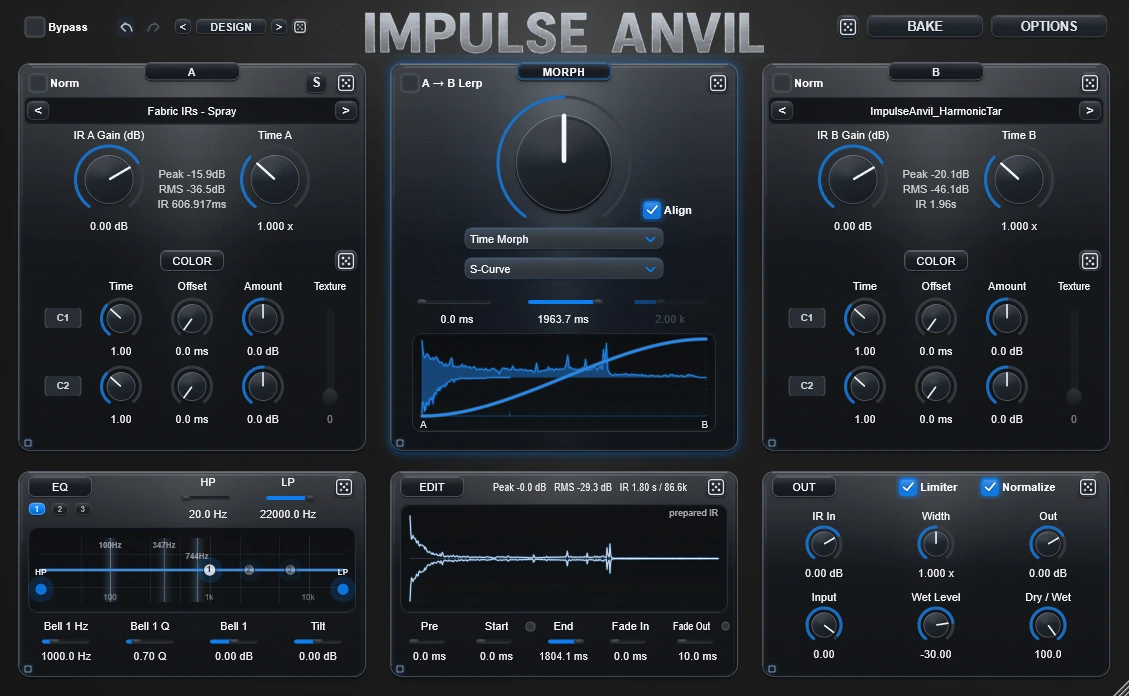
A and B are material. Build the response you want the sound to pass through and hear it directly on the playing track as you tweak.
Watch the workstation in motion, then follow one transformation all the way through: untreated source → exact IR → Anvil result. Download the IR and try the same response on your own audio.
Watch the workflow first, then hear one transformation broken into its dry source, exact IR and Anvil result below.
Mystic March 2 is the exact response used here. Listen to each part separately, then download the WAV and test it on your own material.
The untreated four-second source.
The exact 1.339-second stereo WAV response.
The same source processed with Mystic March 2.
Load the WAV into a compatible convolution workflow or Impulse Anvil and hear how the same response behaves on your own source.
One performance. A completely different direction.
Turn a dry phrase into an intimate layer, unusual space or unusual vocal texture.
Reshape tone, resonance and space, or transform existing cabinet responses.
Impulse Anvil does not need two untouched sources before it becomes useful. Put it on a playing track, load one response into A, and start listening while you reshape what is already there.
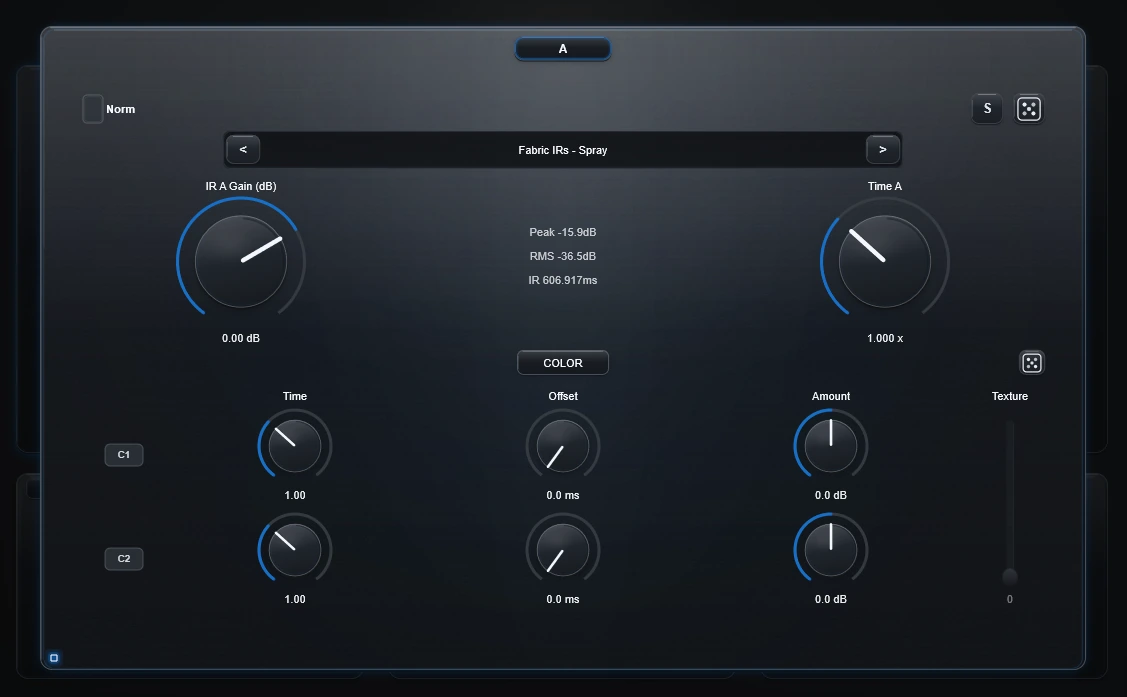
Maybe an IR is almost right, but too dark, too hard, too hollow or too dense. Load it into A, adjust Time and Gain, then use the two Color bands with Offset and Texture Depth to push it toward something more useful, more personal or simply more mixable.
If you bring material into B, the idea expands rather than restarts. A and B can each be shaped on their own first, so you are not comparing untouched files. You are preparing two deliberate source states.
Only after the materials feel right do Morph, A→B Lerp, Draw, Path, Glue and Omni start to matter. Keep using the result directly in Anvil, save the setup as a preset, or Bake a reusable WAV when you want to carry that response somewhere else.
An IR does not have to stay the IR you loaded.
Impulse Anvil moves the creative decision one step earlier. Instead of searching for a finished response, you build the response you want to hear, then use it on the sound already in your track.
Choose an impulse response and reshape it while you listen. Add B when you want a second source, shape that independently, then explore how the two relate.
Choose how the sources meet. Morph them, reveal what they share or what differs, then Draw, Path, Glue or Omni the movement you want.
Keep using the response directly in Anvil. Save the whole setup as a preset in OPTIONS, or Bake the response as a WAV when you want a portable file.
Two pieces of acoustic material go in. One designed response comes out.
Water, stone, metal, paper, rooms, machinery, footsteps, environmental noise and small accidental sounds can all become creative source material.
Short sounds can create tight tonal coloration and resonance. Longer recordings can introduce evolving spaces, irregular tails and rhythmic behavior that changes how a loop or performance is perceived.
Because the material begins in the real world, the result can carry irregularity and complexity that would be difficult to design deliberately with ordinary synthesis or modulation.
Record something that interests you. Load it. Hear what it does.
Push piano, synth, guitar or other melodic material toward a new tone, resonance, space or rhythmic impression.
Create tight resonant, metallic or organic responses without automatically washing out the groove.
Turn a dry phrase into a filtered double, intimate layer, strange resonance or selected-word unusual vocal texture.
Bake useful accidents before they disappear, name the WAV and use it again in compatible convolution software or another Impulse Anvil transformation.
The full workstation contains 21 Morph relationships. You do not need to learn all of them first. Start with the question you are trying to answer.
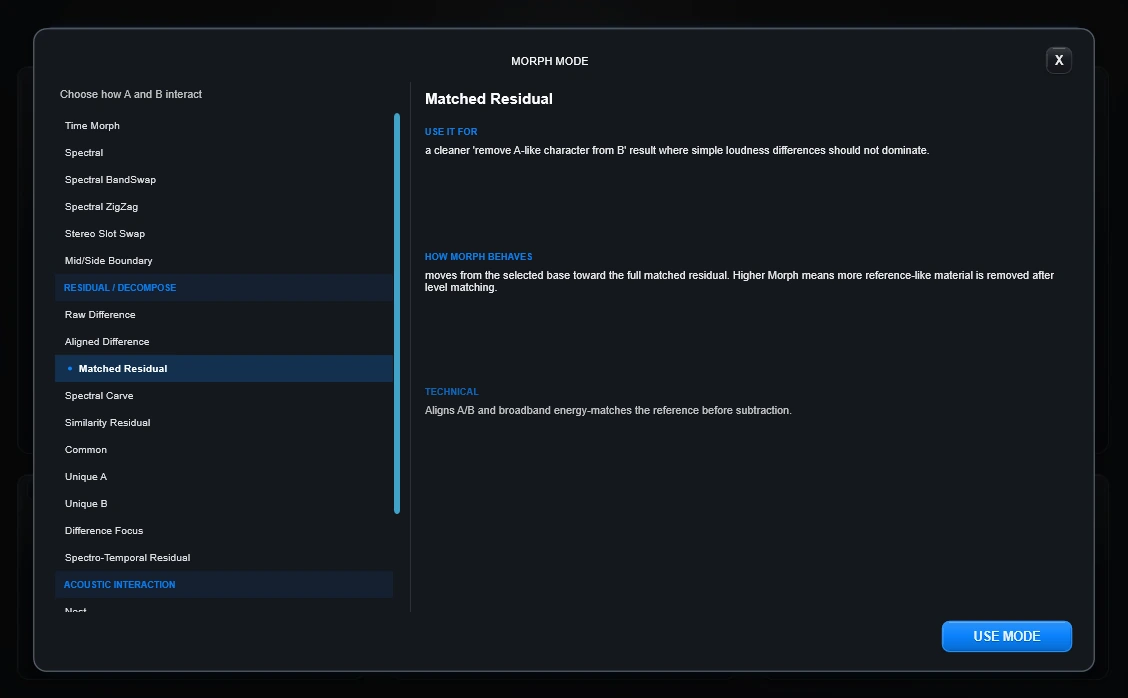
The mode browser keeps the full library organized and explains what each relationship is useful for, how Morph behaves and what is happening underneath.
Move from one prepared response toward another directly, spectrally or across stereo structure.
Divide spectral or stereo ownership so A and B do not have to contribute in the same way everywhere.
Use Common, Unique, Difference and Residual relationships when the contrast between A and B is more interesting than a normal blend.
Nest, Transfer, Ghost, Eclipse and Spectral Time Shear push A/B interaction into more deliberately constructed territory.
The curve display is now a construction surface. Draw controls the relationship, Path routes source-time, Glue assembles pieces, and Omni Path makes the full 2-D gesture contribute to output time.
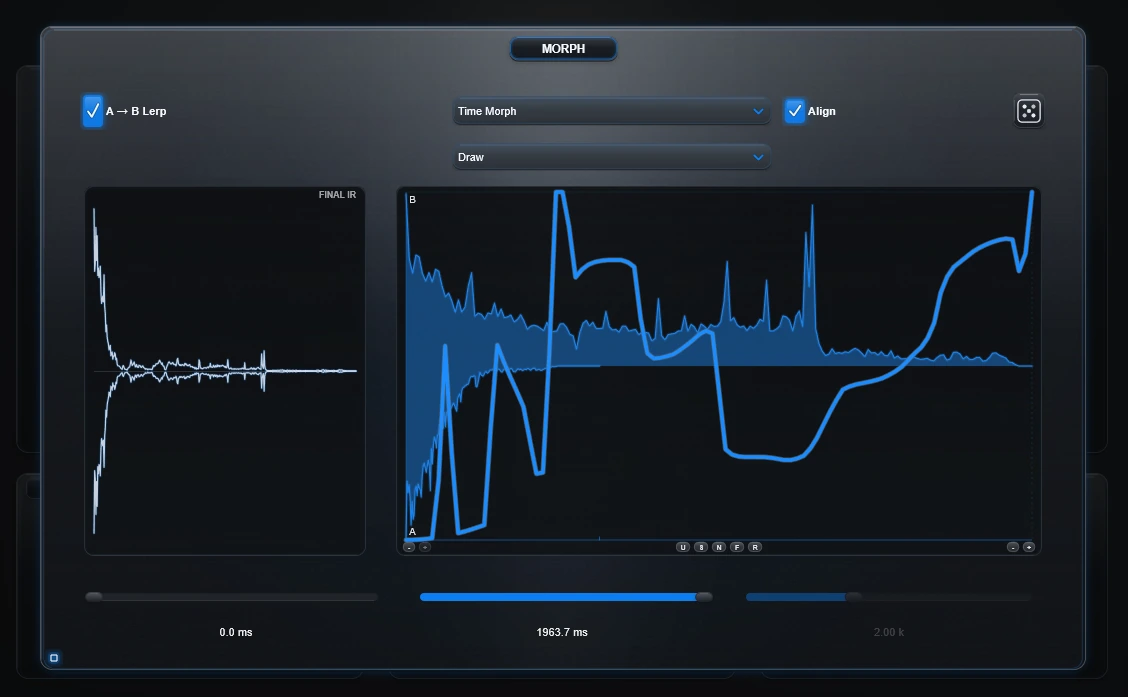
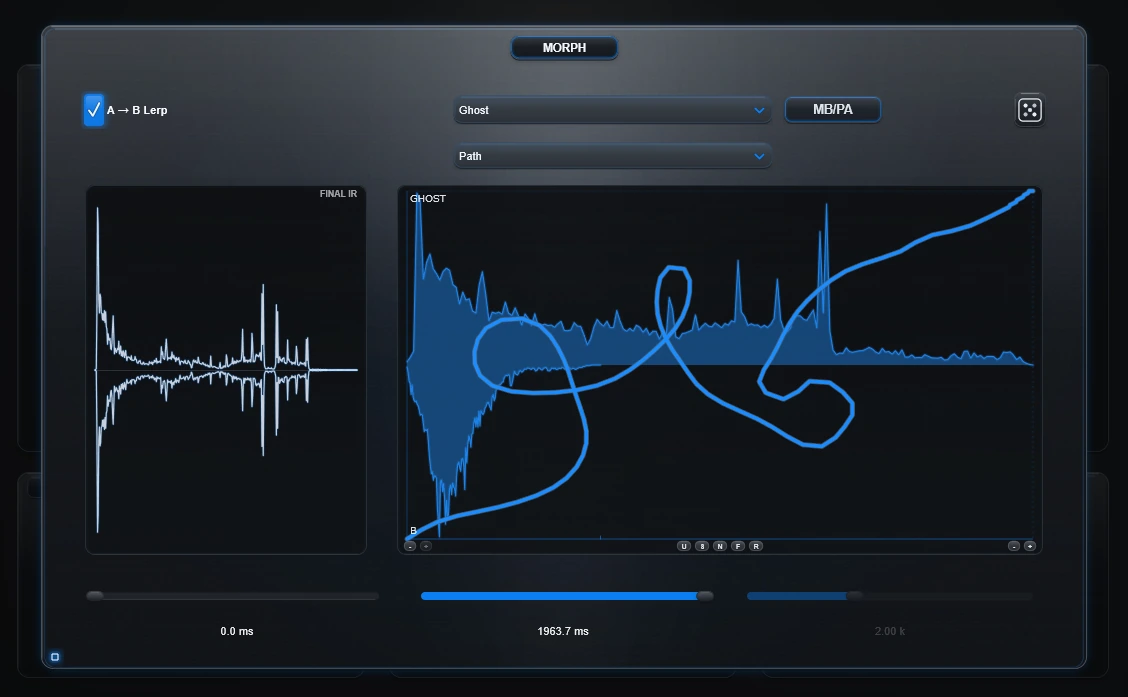
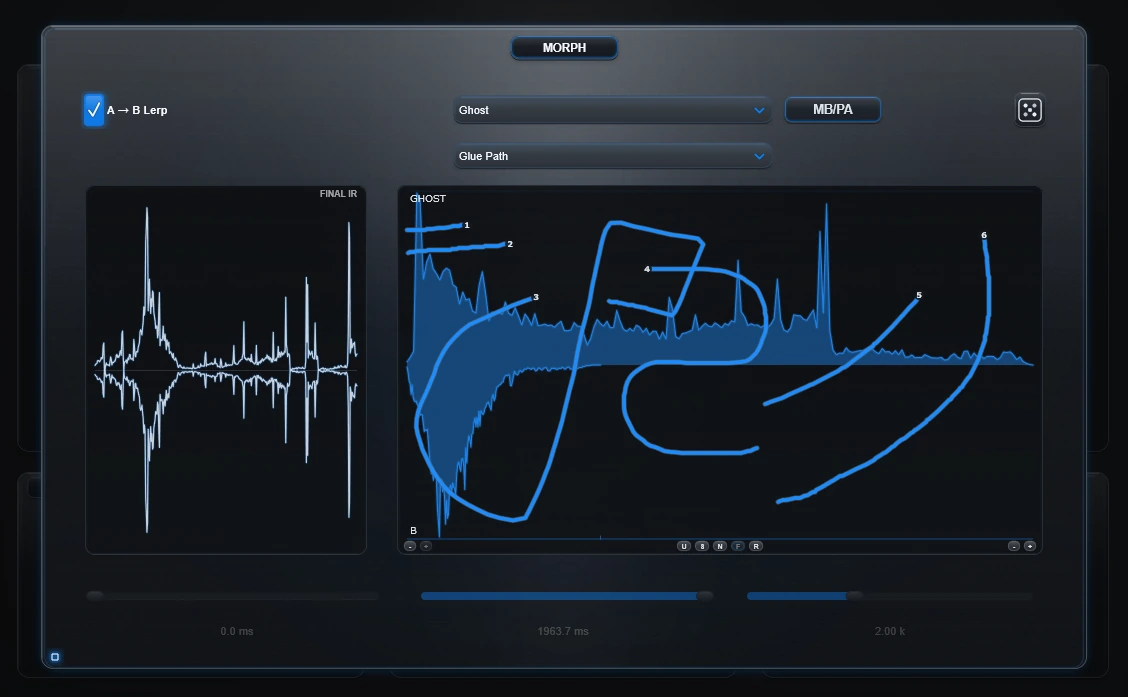
Draw the A/B or relationship movement directly through the IR timeline.
Horizontal travel is the clock. Move right to read later source material or left to revisit earlier material. Vertical movement changes A/B or relationship depth.
Each stroke becomes the next piece of the output. Glue keeps its own horizontal route timing and remains independent of Lerp Start and Lerp Time.
X still reads the selected Lerp source window and Y still controls A/B or relationship depth. Omni changes the clock: both horizontal and vertical travel create output duration.
The six work areas stay visible in Overview. When one deserves attention, Focus View expands the same live controls instead of opening a second copy of the plugin.
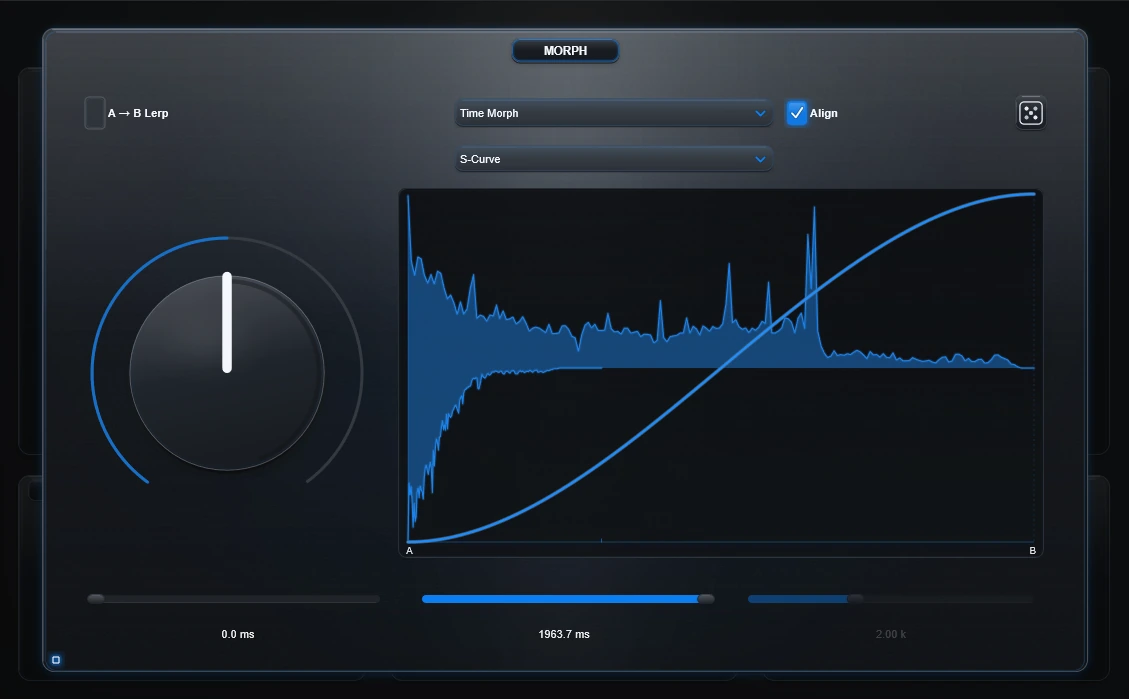
Open A, Morph, B, EQ, Edit or Out into a larger workspace. Use the Focus control or double-click genuine empty panel space; Esc or the exposed background brings the overview back.
Global Undo and Redo treat deliberate edits as meaningful steps, including IR loads, Morph changes and Draw/Path/Glue/Omni gestures. The local curve Undo remains available for curve editing.
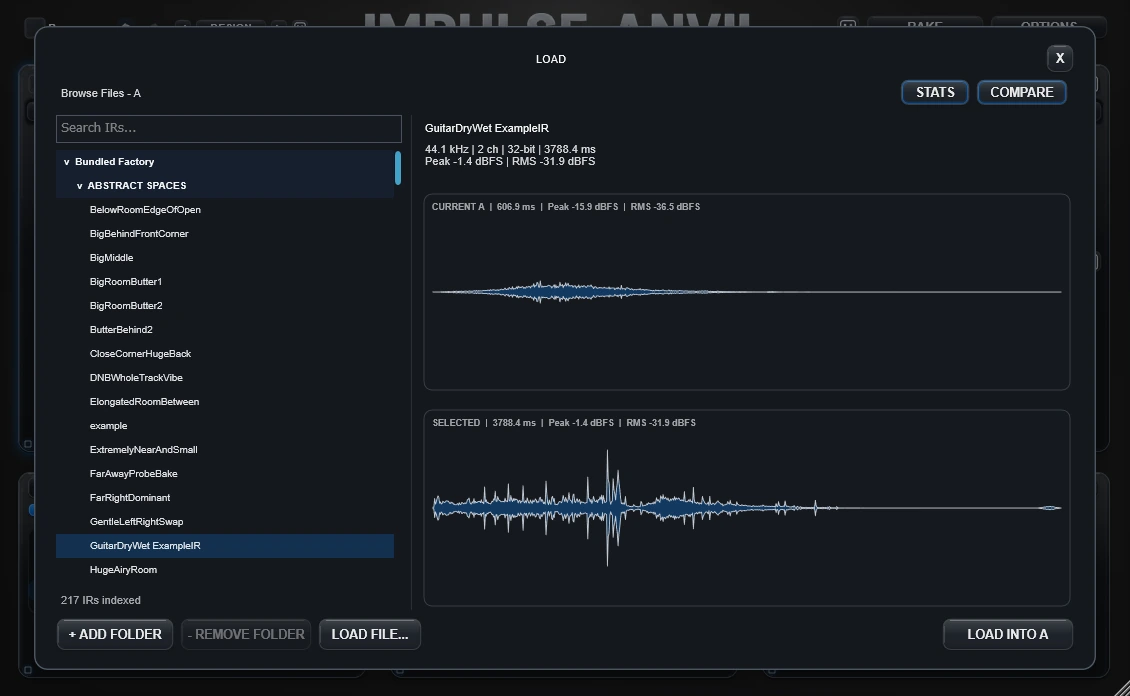
The IR Browser lets you search, inspect waveforms and stats, compare against the current slot and load only when the candidate is worth keeping.
Exploration is more valuable when the result can leave the experiment behind.
Load an IR, isolate the useful region, prepare its final level and Bake the result as a standard WAV for use in other convolution tools.
Bake the prepared IR after source shaping, Morph construction, Edit, EQ and IR-output preparation.
The full version writes a standard WAV impulse response for compatible convolution software and IR loaders.
Load a Bake back into A or B, combine it with something else and keep transforming the material.
With A→B Lerp active, a Path can read forward through the source, turn back through it, then move forward again. Those changes become part of the constructed IR.
Overview shows where the response is being built. Focus View and the in-plugin browsers appear only when you need more room or more information.
Load factory IRs, your own IRs or compatible recordings. Inspect candidates in the IR Browser, then prepare Time, Gain, Color, Texture and Normalize per source.
Choose from the organized Morph browser, set the direction where the relationship needs one, then use the Morph amount or author it through Draw, Path, Glue or Omni.
Expand A, Morph, B, EQ, Edit or Out without creating a second set of controls. The same state returns to Overview when Focus closes.
Isolate the useful region, shape frequency and width, prepare the output IR and turn the final construction into a reusable WAV.
When an IR needs a level change, the right control depends on where you want that change to happen. This walkthrough compares Normalize, Gain and IR In in context, using the IR statistics while you listen.
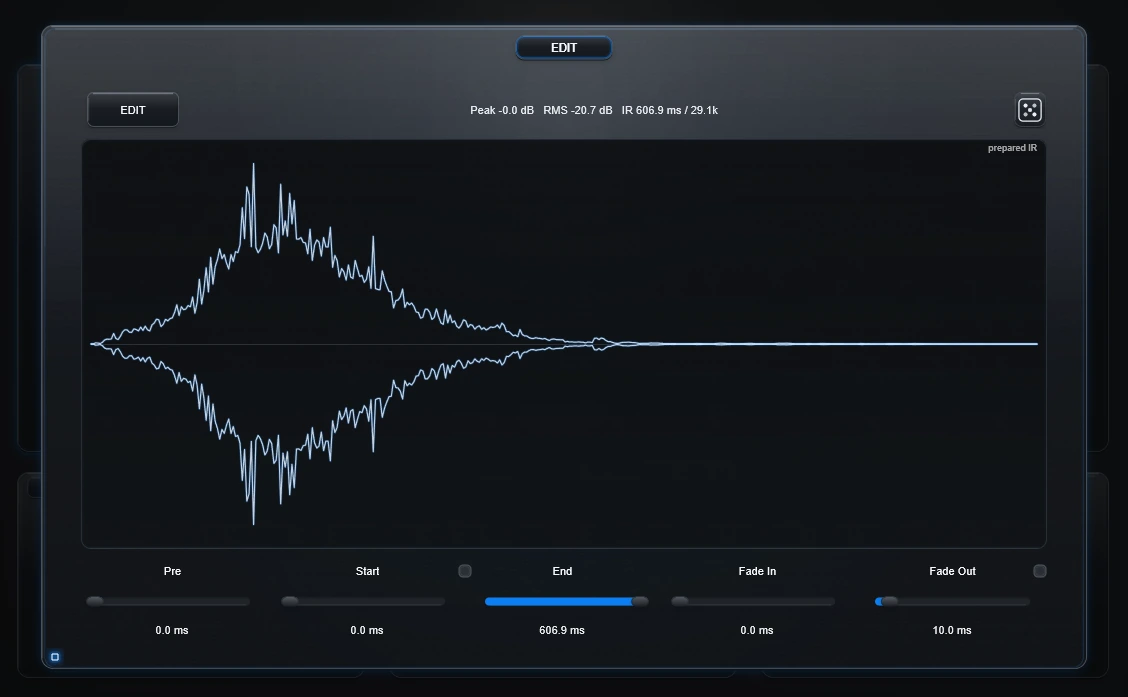
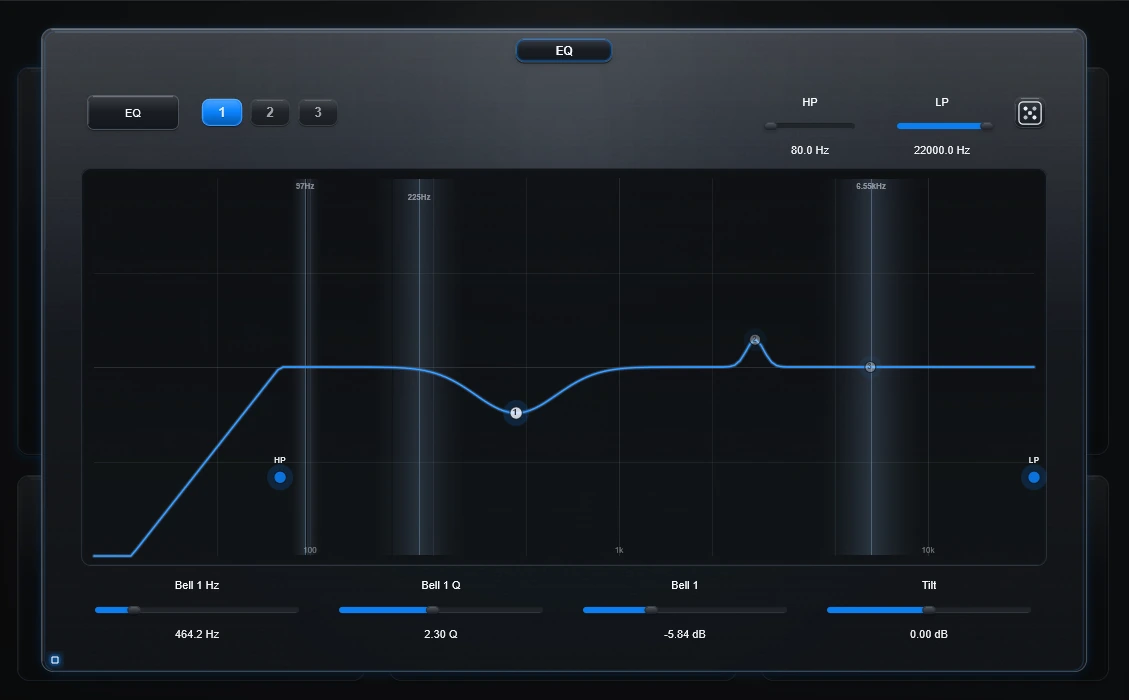
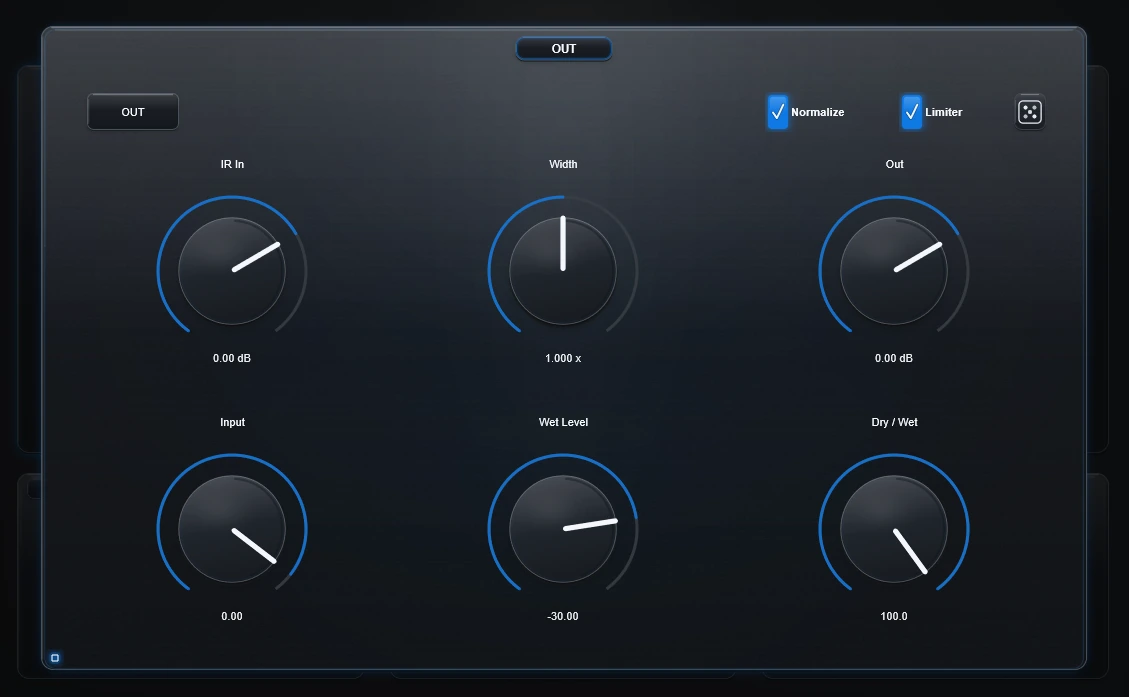
The DESIGN workspace keeps appearance separate from sound. Browse, import, edit and save compatible designs without changing the IR you are building.
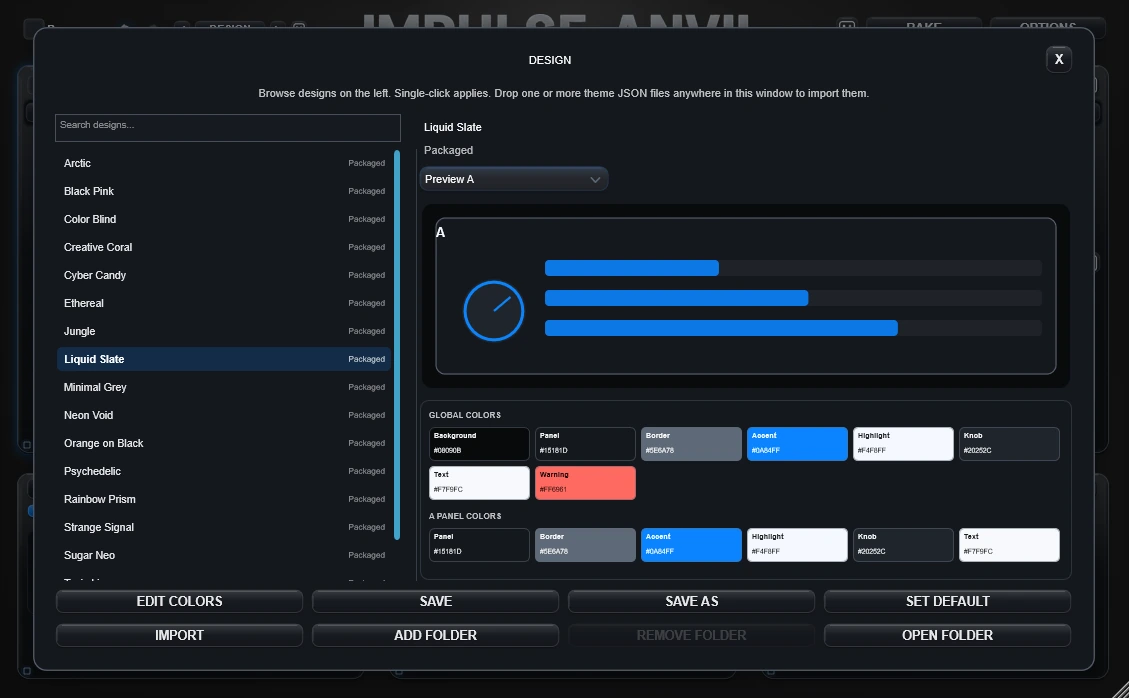
A, B, Morph, EQ, Edit and Out can inherit the global design or use compatible control over individual panel appearance.
The persistent DESIGN navigator opens the focused workspace for choosing and managing designs.
Compatible theme JSON can be imported, edited and saved without touching the audio engine.
Impulse Anvil is built for deliberate sound transformation through custom impulse-response construction, exploration and WAV creation rather than continuous performance automation of every shaping control.
Impulse Anvil opens in demo mode on both distribution tracks. The same purchased license unlocks the complete relationship library, authored movement and WAV creation workflow on Windows and on the macOS testing build.
Test Impulse Anvil in your own DAW before purchasing.
The complete impulse-response design workstation.
The documentation covers Quickstart, every Morph relationship, Draw, Path, Glue and Omni, Color/Texture, editing, EQ/output, Bake, installation, troubleshooting and focused creative workflows.
Impulse Anvil is a sound-design workstation built around designing the impulse response itself. Put it on a playing instrument or audio track, build a response from two IRs, recordings or real-world recordings, and Anvil's own stereo convolution engine processes the track through that response while you design it. Bake is optional export.
It includes its own stereo convolution engine and processes your track through the response you are designing. The difference is that Anvil is centered on making and shaping that response instead of only choosing a finished reverb preset.
ANVIL IS THE EFFECT. You do not need another convolution plugin to use the response you are designing. Anvil already processes the playing track through it. Bake only when you want the response itself as a reusable WAV for another compatible convolution tool or another Anvil design pass.
A preset saves the complete Anvil setup so you can return to the tweaking session or keep a favorite configuration. Use the preset Save / Load controls in OPTIONS. Bake exports the designed response itself as a WAV.
No. The full version contains 21 relationships across Core Morph, Residual / Decompose and Acoustic Interaction families. They include direct and spectral blends, stereo structures, shared/unique material, residual relationships and more experimental transformations.
Draw paints how the selected relationship changes over the IR. Path adds forward/backward source-time travel. Glue Path appends separate painted pieces and owns its duration independently of Lerp Start/Time. Omni Path keeps X as source-time and Y as relationship depth, while both horizontal and vertical route travel create output time.
It creates one prepared IR whose relationship changes internally over its duration. The selected Morph mode and curve/path define the construction, and the result can be baked into one WAV instead of requiring live automation.
Unique B is designed around that exact relationship: progressively remove the component estimated to be shared with A and keep what remains characteristic of B. Matched Residual, Spectral Carve and Transfer provide related alternatives depending on what you are trying to isolate.
Yes. Compatible recordings can become convolution material. Short fragments often behave like complex resonant or tonal fingerprints; longer material can introduce more obvious timing and decay behavior.
The prepared IR path is baked: A/B preparation, the current Morph/Lerp construction, Edit, IR-input preparation, EQ, Width, Normalize and Limiter as documented. Playback-only controls such as Dry/Wet and final track Output are not a substitute for preparing the IR itself.
Yes. The full version writes standard WAV impulse responses for compatible convolution software and IR loaders.
The demo lets you test the Windows VST3 with the included library, Time Morph and a reduced Color workflow. It adds subtle periodic demo noise and does not unlock the complete Morph library, A→B Lerp or WAV baking.
Windows 10/11 VST3 is the primary supported commercial plug-in format, with a Windows Standalone build also available. A macOS AU/VST3 testing build is also available from the Downloads page. The macOS testing build uses the same demo/full-license system and unlocks the complete plug-in functionality with a valid Impulse Anvil license, but it is not distributed with an Apple Developer ID signature and is not notarized by Apple, so macOS may require manual approval.
No. Testing-build status describes the current macOS distribution/support path, not a reduced feature tier. The build starts in the normal Impulse Anvil demo state; the same purchased license unlocks the complete functionality. The important difference is distribution trust: the macOS testing build is not Apple Developer ID signed and has not been notarized by Apple.
Start with the free demo. Load your own sounds, explore the included library and hear what Impulse Anvil does inside your own music.