
Curves, Draw, Path, Glue & Omni
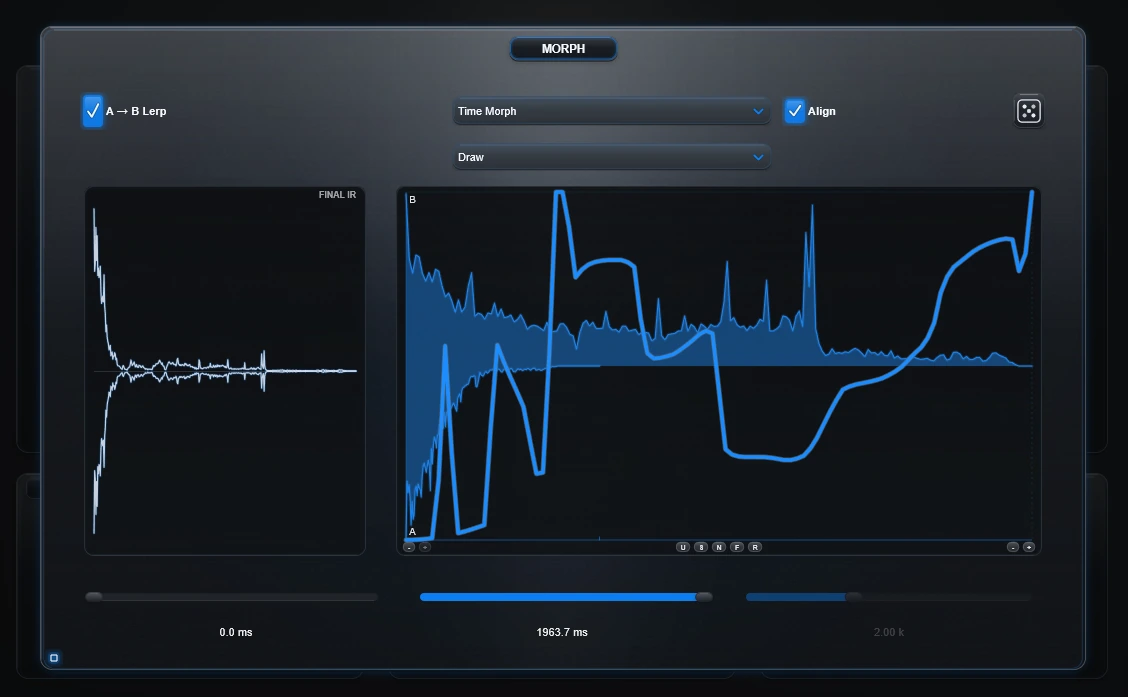
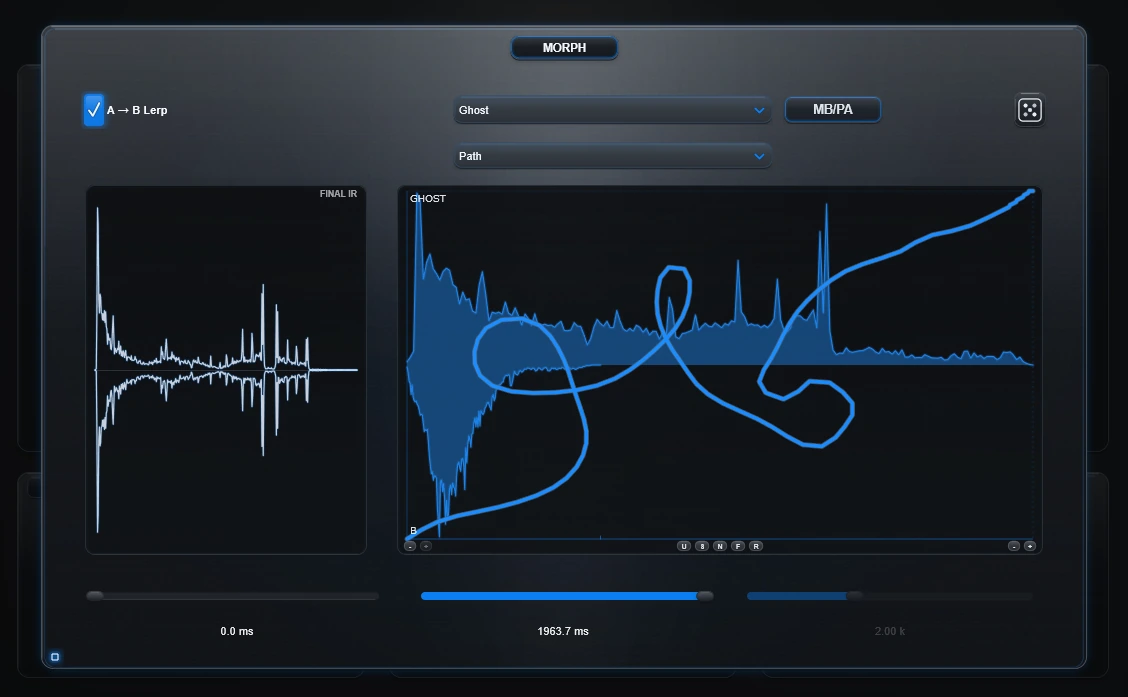
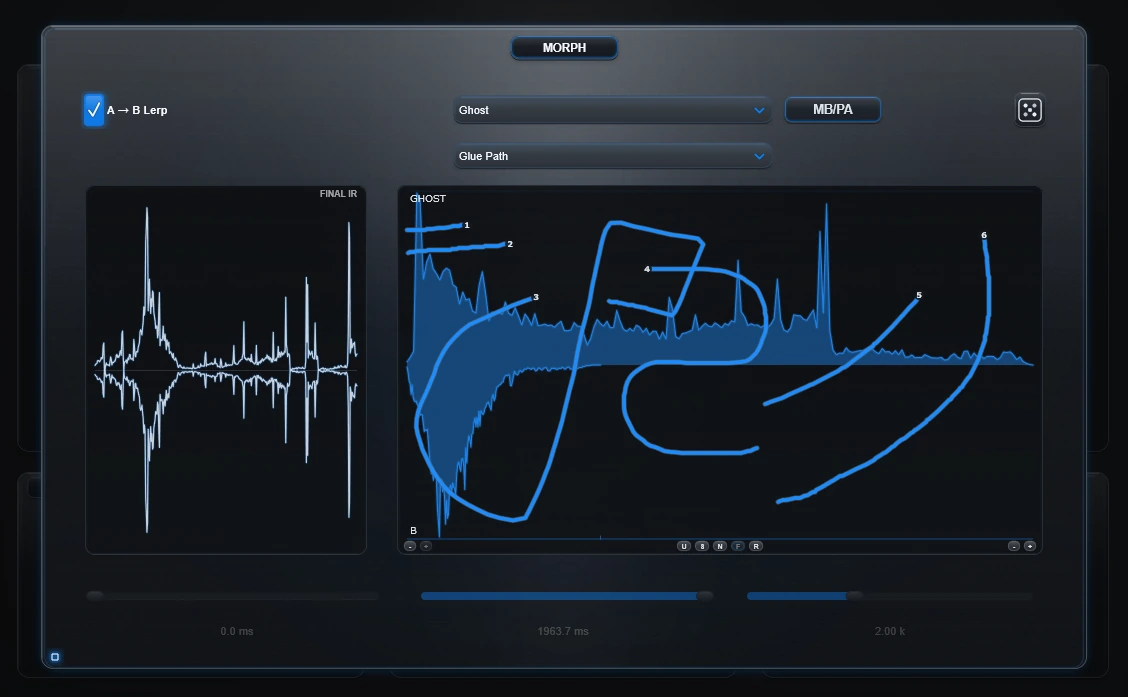
The curve system decides how a Morph relationship develops inside the IR. The authored modes share one visual language, but they do not all use the same time rule.
Which authored mode should I use?
| Mode | What it authors | Time rule |
|---|---|---|
| Draw | A/B or relationship depth | Ordinary output timeline |
| Path | Depth plus forward/backward source-time | Horizontal-distance clock |
| Glue Path | Separate source-time pieces appended in order | Glue's horizontal route distance; independent of Lerp timing |
| Omni Path | Depth plus source-time plus gesture distance | 2-D Euclidean arc-length clock |
Built-in curves
- Linear
- Exp
- Log
- S-Curve
Use these when you want a predictable transition without drawing it.
Draw — paint the relationship
Draw uses the normal output timeline. Left to right is time; vertical position is A/B or current relationship depth.
F can free the endpoints. N exposes precision nodes so the useful shape can be edited without losing the original idea.
Path — move through source-time
Path separates playback order from source position:
- right = read later source-time
- left = revisit earlier source-time
- up/down = change A/B or current relationship depth
Path uses a horizontal-distance clock. Backtracking adds horizontal travel and can make the constructed IR longer. Vertical movement changes depth, but vertical distance alone is not the Path clock.
Glue Path — assemble a new timeline from strokes
Glue Path is always free. Each stroke can begin and end at its own source position and depth. Strokes are appended in creation order.
- Horizontal distance decides how much source-time a stroke contributes.
- Right reads forward; left reads backward.
- Mouse-up ends that piece.
- Glue owns its duration independently of Lerp Start and Lerp Time.
Omni Path — make the whole gesture become time
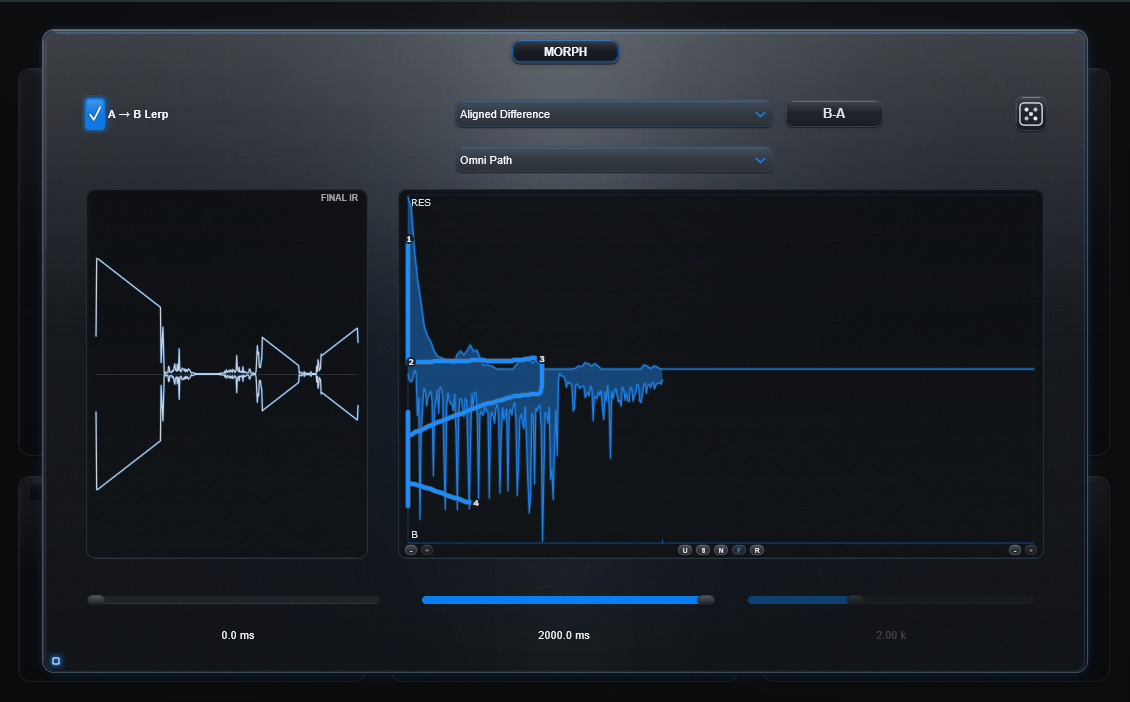
Omni Path keeps the same two axes, but changes how output time is measured.
- X remains source-time. Right reads later material; left reads earlier material.
- Y remains A/B or current Morph relationship depth. Y does not become a second source-position axis.
- Both X and Y displacement consume output time.
- A vertical stroke can stay around one source-time position while the response moves through A/B or effect depth.
- Diagonals, loops and reversals naturally add duration because the ordered 2-D route is longer.
Lerp Start and Lerp Time with Omni
Omni uses the selected Lerp Start and Lerp Time window as its X domain.
- Lerp Start offsets which source region the entire painted route reads.
- Lerp Time scales the width of the source window the route spans.
- Because the renderer converts route travel across that selected span, a larger Lerp Time can also make the same Omni gesture produce a longer output route.
- The expanded Omni output does not feed back and redefine that source window.
The Omni clock
Normal Path measures segment travel from horizontal distance. Omni Path measures the Euclidean length of the 2-D segment:
Path:       distance = abs(dx)
Omni Path:  distance = hypot(dx, dy)
That gives an intuitive 1:1 normalized metric: a full horizontal move is about one selected source span, a full vertical move is about one span, and a full diagonal is about √2 spans before the normal IR safety ceiling is applied.
Authoring tools
- U — local authored-route undo
- S — smooth the authored depth movement while preserving route order
- N — precision nodes
- F — endpoint freedom where the selected authored mode supports it
- R — reset
Global Undo/Redo also records deliberate authored-route gestures as workstation history steps.
Preview and Bake
Draw, Path, Glue and Omni feed the prepared construction used for Preview and Bake. Omni is not a lighter preview approximation: the same route semantics are used when the response is committed to WAV.
Generated responses remain bounded by Impulse Anvil's existing prepared-IR safety ceiling.