
Focus View
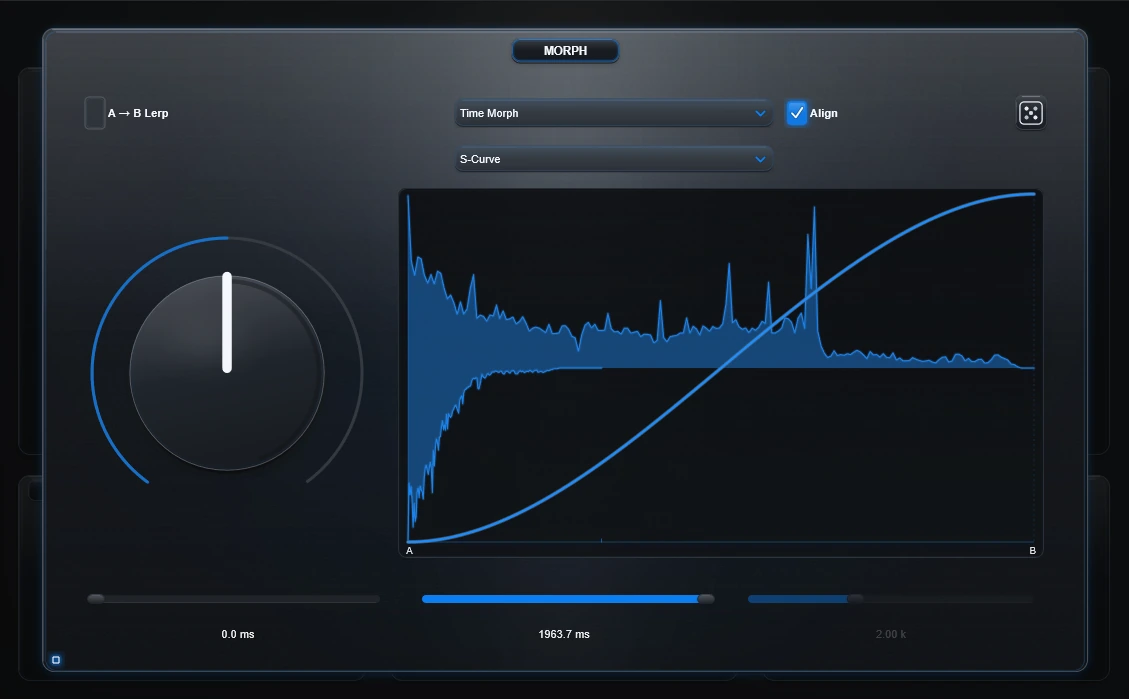
Overview gives context. Focus View gives one module room to breathe.
Focus View is available for A, Morph, B, EQ, Edit and Out. It does not create a second copy of the controls; it enlarges and repositions the same live components.
Enter Focus
- Click the small Focus control on the panel.
- Or double-click genuine empty panel background.
A/B/Morph single-click selection still reacts immediately. A fast double-click can therefore select the panel on the first click before Focus opens; that is intentional in the current interaction model.
Exit Focus
- Use the Focus control again.
- Press Esc.
- Click the exposed outer plugin background.
- Double-click empty Focus background.
What changes?
Only the presentation. The active parameters, IRs, Morph mode, Draw/Path/Glue/Omni state, preview and project state remain the same.
Morph Focus
Morph gets a larger authoring canvas. With A→B Lerp enabled, the left side can show the prepared FINAL IR waveform while the curve remains available on the right.
Why use it?
Stay in Overview while making broad decisions. Enter Focus when one curve, waveform, EQ move or source treatment deserves precision, then return without losing the signal-path context.