
EQ & Output
This section has two jobs:
- finish the IR you are building
- control how the plugin plays on your track
The difference matters when you Bake.
These change the IR
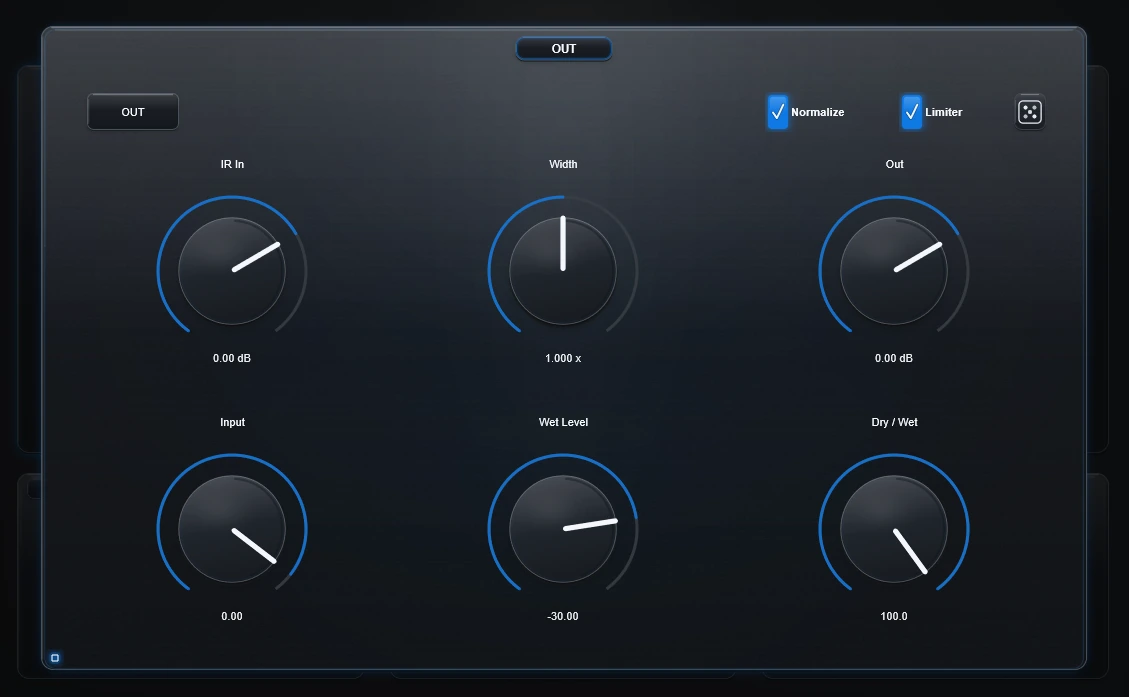
IR In
Changes the level going into the final IR-shaping stage.
Use this when the actual response you want to Bake is too quiet or too strong.
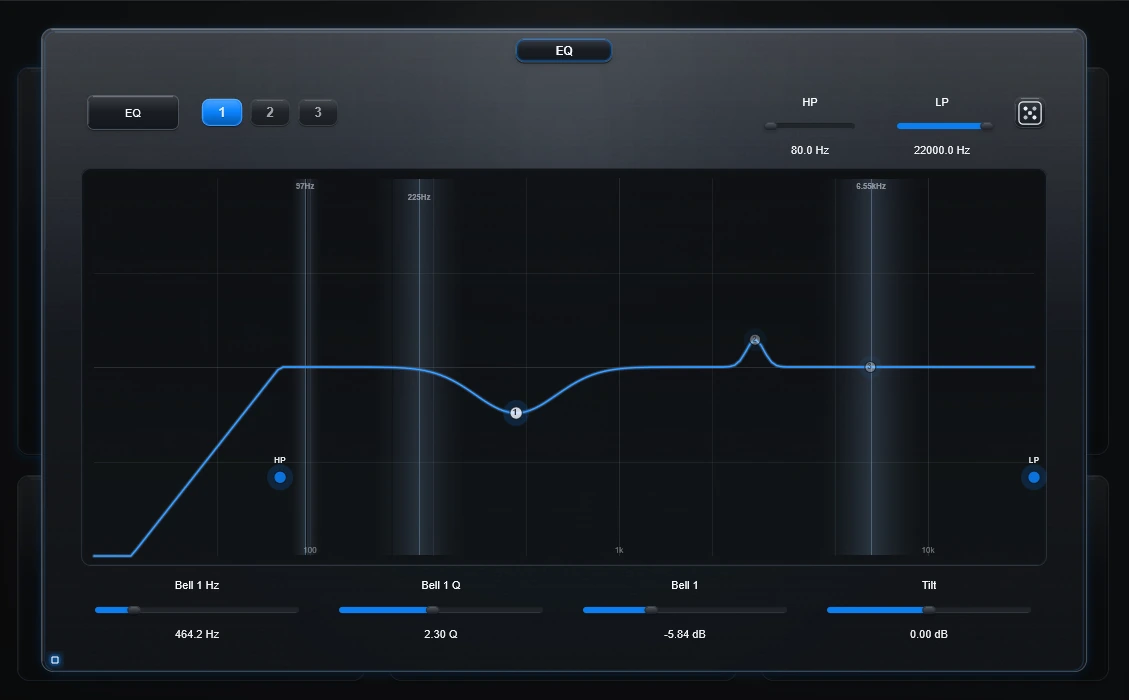
HP / LP
Remove unwanted lows or highs from the IR.
Tilt
A broad darker/brighter control.
Bell 1 / 2 / 3
Use the three bell filters when one frequency area needs a more focused change.
Width
- 0.0 = much narrower / toward mono
- 1.0 = keep the current width
- 2.0 = wider
Width becomes part of the baked IR.
Normalize
Brings the final IR up to a consistent peak level.
Limiter
Adds a safety ceiling to the prepared IR.
These only change playback
Input
Changes the dry/input side of what you hear.
Wet Level
Changes how loud the convolved result plays.
Dry / Wet
Changes the balance between the original track and convolution.
Out
Changes the final plugin output level.
None of these four become part of the baked WAV.
Random and reset
- EQ Random changes only the EQ.
- OUT Random tries a broader finishing variation across EDIT, EQ and Width while protecting the main playback level controls.
Double-click EQ to reset EQ.
Double-click OUT to reset the OUT/utility section.
Technical background
EQ, Width, final IR Normalize and limiting are applied to the prepared response before it reaches the convolver/export stage. Input, Wet Level, Dry/Wet and final Out are applied later in the track playback path.