
Edit
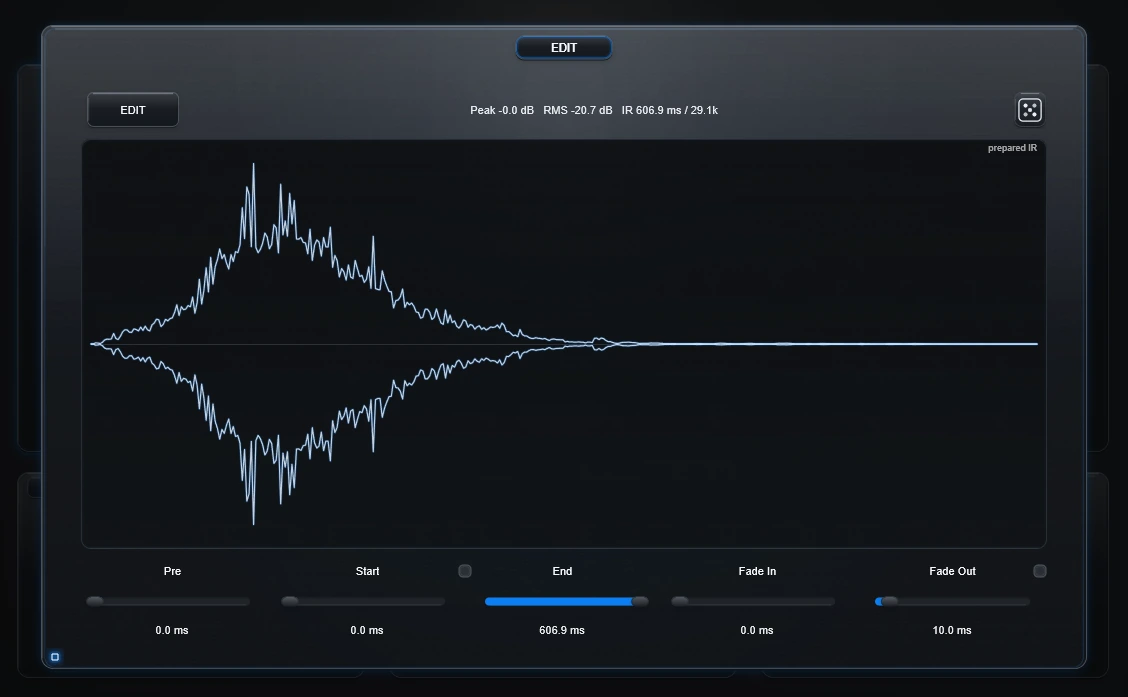
EDIT is your IR scanner and cutter. It lets you search through a long prepared IR or recording, keep only the interesting part, reverse it if you want, and Bake that fragment as a new IR.
Start and End
Normal slice
When Start is before End, Anvil keeps that region and plays it forward.
Reverse slice
When Start is after End, Anvil keeps the region between them and plays it backwards.
Scan one fixed-size window through a recording
The small link control between Start and End locks the current window length.
- Choose a useful size—perhaps 20 ms, 100 ms or 500 ms.
- Enable the link.
- Move Start or End.
- The other endpoint follows automatically.
- Listen while the window travels through the recording.
- Stop when you find a useful spot.
- Bake it if you want that fragment as its own reusable WAV IR.
A single long recording can contain many completely different short convolution fingerprints.
Fine millisecond movement
- Shift + drag = fine movement.
- Ctrl + drag = very fine movement.
Hold the modifier before starting the drag.
EDIT Random
The small Random button in EDIT tries another edit setup automatically. It can choose short or long regions, move the slice, change fades/predelay and sometimes reverse the region.
Fade In / Fade Out
Use fades when a cut begins or ends too abruptly.
0 ms means exactly 0 ms. That endpoint stays unshaped.
This is especially useful for very short IRs, hard transients and exact cuts.
Fade Out +
The + option flips the fade-out behavior into a swell/stutter-style ending rather than the normal fade toward silence.
Pre
Adds time before the edited IR begins.
Reset EDIT
Double-click the EDIT title to return the editing section to its normal defaults.
Technical background
Start/End are absolute endpoints on the prepared IR. The selected range is resolved first, fades are applied to that slice, and predelay is inserted afterwards. No hidden authored head/tail micro-fade is added when the user fade value is 0 ms.